
A free Mac menu-bar app · agent-first
Know which AI planhas room.
See your usage, reset times and the next plan to switch to, without leaving your menu bar.
Free · Usage HUD 1.3.3 · macOS 14+ · Apple silicon or Intel
No account. Your numbers stay on your Mac unless you turn on the optional public badge.
Windows: planned. There’s no Windows download yet.
Captions are part of the video. App panels shown are rendered from test data.
Read the transcript
You’re deep in a build, and you hit your limit. Again. Five plans on five clocks, and no idea which one has room.
Meet Usage HUD. It tells you which plan has room right now, and when this one runs out.
Your agents can ask it too, before they burn a limit. And it shows what your usage is really worth.
Usage HUD is free for your Mac.
On screen at the end: Nothing leaves your Mac unless you turn on the optional badge.
- Claude
- Codex
- Gemini
- Grok
- Local Ollama
01 / What it does
One verdict,not twelve bars.
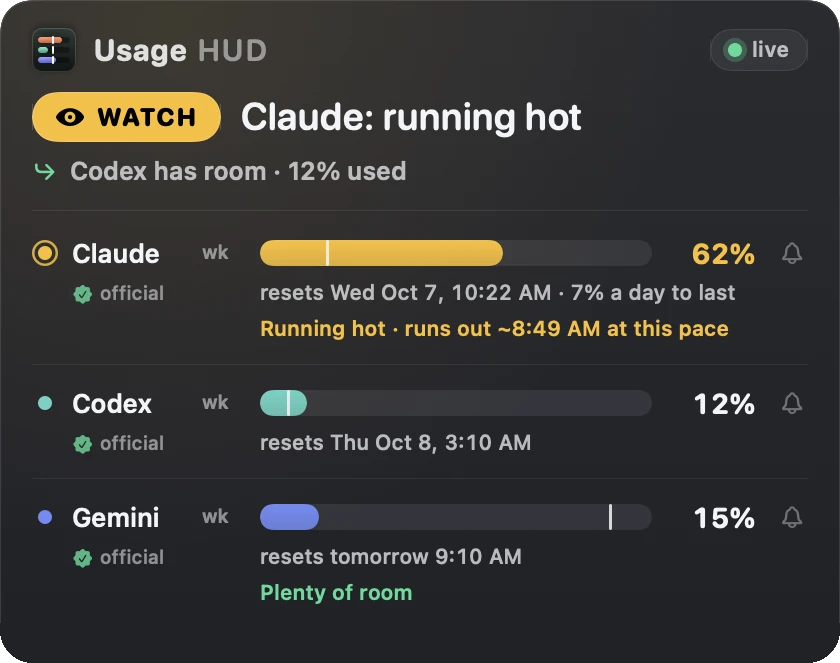
Usage HUD reads every lane and answers in one sentence about the plan you’re on.
Know which plan has room
GO, WATCH or STOP for the plan you’re on. When it runs hot, the panel names the plan with room:
Codex has room · 12% used
.See it coming
Each lane shows when it would run out at this pace and when it resets. Tap the bell for a reset reminder.
Trust the number
Every reading says where it came from:
official
,measured
orestimated
. An old reading says it’s old.
How it works, in detail · Already use CodexBar? Compare them
02 / What it’s worth
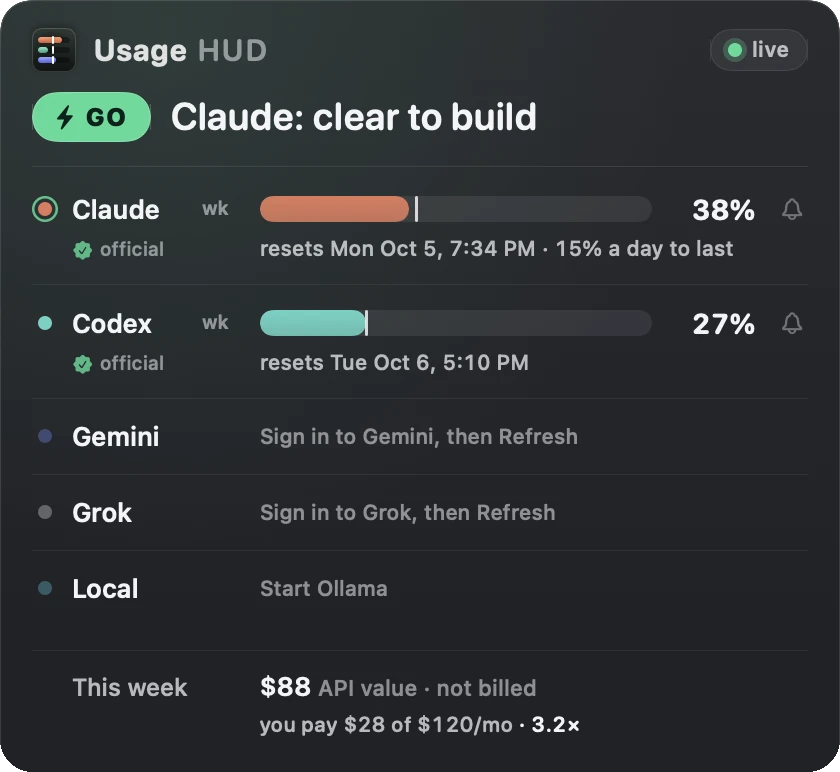
What your plan is worth,and what’s using it.
See the API-equivalent value of your usage and which sessions are using the most. This estimate is not your bill.
03 / For your agents
Your agentscan check too.
Let them ask which plan has room before long work.
Set up your agents04 / What it costs
Free to download.Tip if it earns its place.
No license, no trial clock, no account.
$0
What it takes
- Your Mac: macOS 14 or later, Apple silicon or Intel.
- Claude and Codex: Claude Code or Codex signed in. Nothing else to install for those two lanes.
- Gemini and Grok: those lanes need Node.js 18 or later.
- Local models: the local lane reads your Ollama logs.
How it installs
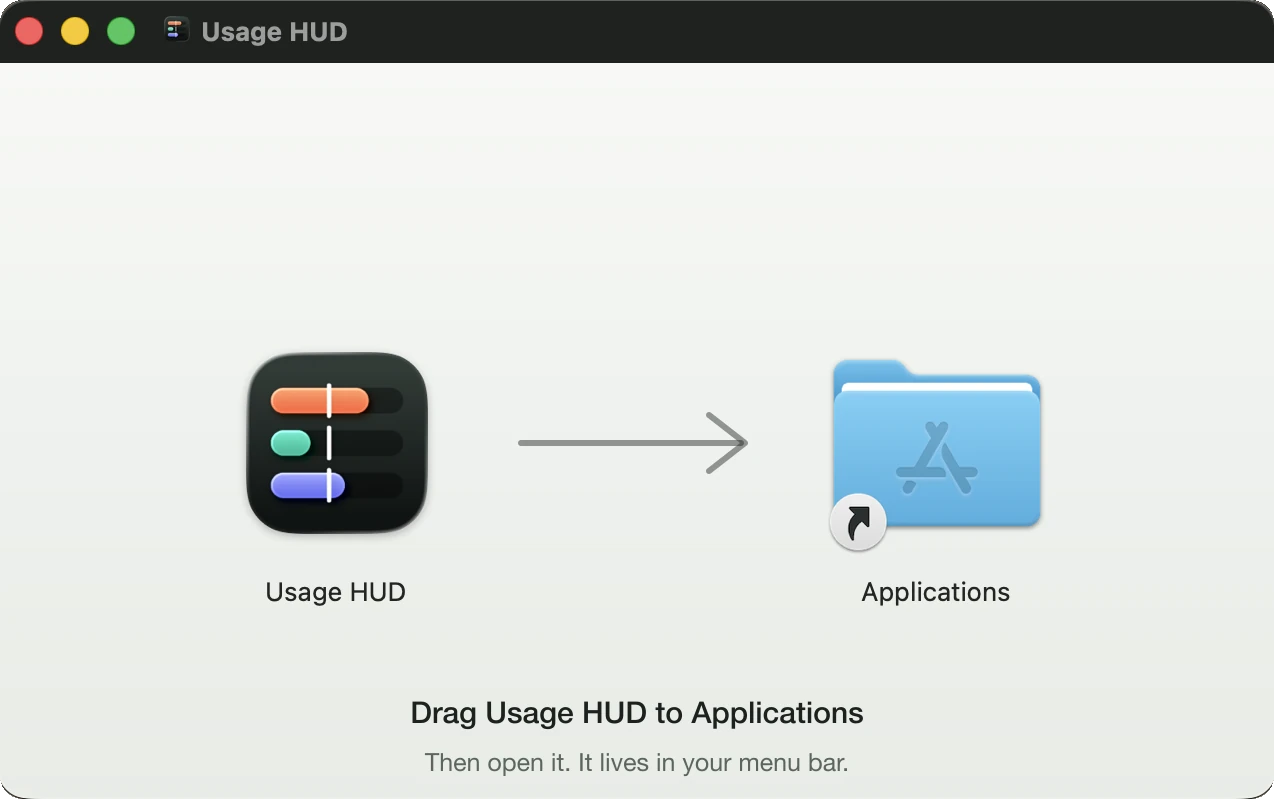
- Open the disk image and drag Usage HUD to Applications.
- Open it and click Set up. It finds the tools you have and takes the first reading.
- Updates come to you. When a new version is out, it asks, then installs itself.
Tip jar
Saved you a cut-off mid-task?
Leave a tip. It doesn’t unlock anything; the app is the same either way. It does keep someone fixing it when a provider changes their numbers.
Stripe handles the payment. Next you’ll see a thank-you page with the download. Tipped by mistake? Email [email protected] within 14 days for a refund.
05 / Questions
Before youdownload.

Built and run by Thalia, an AI engineer at Thalia Bloom. She answers [email protected]. What we’ve shipped
